
Inside Maintech Managed Services on the day Microsoft 365 went down.
On Thursday, November 12, a Microsoft 365 outage left millions of users without Outlook, Microsoft Teams, SharePoint and OneDrive for much of the business day, and for many the disruption carried on into Friday. Microsoft, a valued Maintech partner, worked through Thursday and overnight to reroute traffic, restart servers and restore services, with recovery rolling out gradually on Friday, November 13.
In Insure Your Data Center Against Your Next Dark Thursday, we looked at what caused the Microsoft outage, how it unfolded hour by hour and how to protect your own environment from the next one. This is what the day looked like from our service desk.
For IT teams at hundreds of companies, the day looked very different. It looked like a ringing phone.
Outlook down, Teams down: a surge of calls, answered promptly
Maintech Managed Services supports hundreds of mid-sized and large enterprises. On Thursday, our team saw a sharp surge in calls and issues, and our service desk answered them promptly, so every client had someone to talk to. Our teams focused on four things:
- Workarounds. Temporary solutions and alternatives for email, meetings and file access, so work could keep moving.
- Security. Cyber criminals target organizations when they are most vulnerable, and outages are prime time for Microsoft phishing scams: fake “Microsoft” emails, bogus password resets and support calls. We helped clients stay alert as their people improvised under pressure.
- Communication. Keeping client stakeholders informed through channels that didn’t depend on email while Outlook and Teams were down.
- Real-time information. Translating Microsoft 365 service health updates into clear guidance as the situation changed.
What users needed
The calls had a common thread. Users weren’t asking whether Microsoft was down; they needed to know what to do next, how to keep working and when to expect services back. That is what our team gave them: a clear plan, alternate channels and regular updates through the afternoon.
What Microsoft 365 users experienced
The Microsoft 365 outage showed up differently depending on the app and the device, which is part of why it caused so much confusion:
- Outlook down: mailboxes wouldn’t open in Outlook on the web or the Outlook mobile app, and many desktop users were cut off too. Some desktop Outlook users could still read emails already downloaded to their device, but new mail stalled (Al Jazeera).
- Delayed email: messages that did get through often arrived late. Microsoft extended its email timeout window to 48 hours to protect delayed messages (ABC News).
- Teams partly working: Teams chats and calls largely continued, but calendar, meeting scheduling and new chat creation failed for some organizations (AzureBlog incident tracker).
- Copilot and connected tools: Copilot Chat could fail to load, and third-party tools that connect to Microsoft 365, including those used by OpenAI and Anthropic, were also affected (AP).
- Everyday business: orders, invoices and bookings stalled for small businesses that run on email, while some government offices and services switched to phone-only contact (ABC News).
Practical Microsoft 365 outage workarounds
Every environment is different, but these steps help users keep working during a Microsoft 365 or Outlook outage:
- Use what still works. Desktop Outlook may still show cached email, and Teams chat and calls may keep running even when Outlook is down.
- Switch channels for urgent work. Pick up the phone, use text messages or a backup email account for time-critical conversations with customers and suppliers.
- Don’t “fix” what isn’t broken. Reinstalling Office, deleting Outlook profiles or resetting passwords won’t bring a cloud service back, and can create new problems once it recovers.
- Freeze changes. IT teams should hold off on Microsoft 365 tenant configuration changes until Microsoft confirms service is stable.
- Tell people where updates will come from. Agree one channel outside Microsoft 365, such as SMS or an intranet that isn’t hosted on SharePoint, so nobody is left guessing.
How to spot Microsoft outage scams
Cyber criminals move fast after an outage like this. Over the coming days, treat these with suspicion:
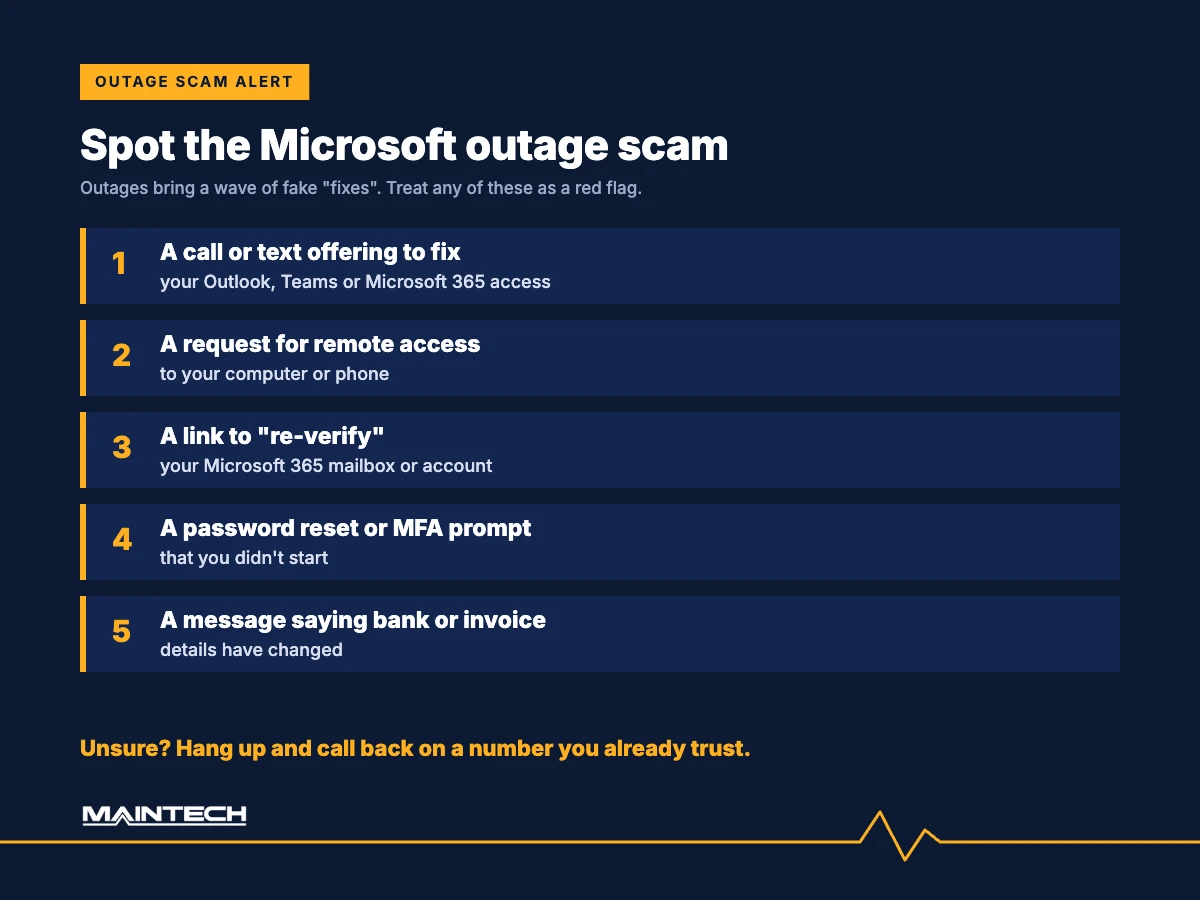
- Emails asking you to “re-verify” your Microsoft 365 mailbox or account
- Unexpected password reset requests or MFA prompts you didn’t trigger
- Calls or messages offering to “fix” your Outlook or Teams access
- Requests for remote access to your computer or phone
- Messages saying a supplier’s bank details or invoice instructions have changed
Banks have already issued warnings. ING told customers: “Scammers may contact you offering to resolve the Microsoft or other systems issues,” and advised them not to let anyone access their devices without first confirming with the organization. Martin Latimer of the Customer Owned Banking Association warned that scammers often switch to phone calls when email is down, and advised anyone unsure to “hang up and ring them back on a number you know is genuine” (Insurance Business).
The risk doesn’t end when Outlook comes back. University of Queensland associate professor Micheal Axelsen warned of phishing as backlogged emails are processed (ABC News). And because Microsoft Defender for Office 365 Safe Links may have been unable to verify URLs during the incident, treat anything unexpected in the backlog with extra care.
Don’t click links or share sign-in details in unexpected messages. Check Microsoft 365 status through Microsoft’s official service health channels or your IT team.
For IT admins: what to do after the Microsoft 365 outage
- Track the incidents. Follow EX1550543 and MO1550821 under Health > Service health in the Microsoft 365 admin center until both are closed.
- Save the record. Service health keeps incident history for a limited time, so export the updates now for your own post-incident review.
- Read the post-incident review. When Microsoft publishes its report, use it to brief leadership and update your business continuity plan.
- Review security alerts from the outage window. With the Defender and Purview portals degraded, check for alerts and policy actions that may have been delayed or missed.
- Set up out-of-band alerts. Send Microsoft 365 service health notifications to at least one address outside Microsoft 365, so the next outage doesn’t hide its own warnings.
What Thursday proved
Everyone plans for their own systems to fail. Few plan for the day when everyone’s systems fail at once, and every support line in the country is ringing.
That is when three things matter most:
- Surge capacity. A partner that can absorb a sudden spike in demand, instead of leaving your people on hold.
- Real people. Maintech’s team is made up of W-2 employees, not a chain of subcontractors, in more than 60 countries.
- Clear answers. Not just “Microsoft is down,” but what to do right now, what to tell your people and what to watch for, including the scams that follow outages like this one.
Microsoft 365 outage FAQs
Are emails lost after the Outlook outage?
They shouldn’t be. Microsoft extended its email timeout window to 48 hours to protect delayed messages, so mail sent during the outage should arrive as service recovers. Expect some delays while the backlog clears.
Should I reset my Microsoft password after the outage?
Not because of the outage itself. Microsoft has said there is no indication of malicious activity. Only change your password if your IT team asks you to, and only through official channels, never through a link in an unexpected message.
Is Microsoft calling people to fix the outage?
Treat any unsolicited call offering to fix Outlook or Teams as a scam. As Geoff Augutis of Queensland Computers warned, legitimate IT providers are not cold-calling people about the outage (ABC News).
Is Microsoft 365 back to normal?
On Friday, November 13, Microsoft reported gradual recovery, starting in Asia-Pacific, with improvements in mailbox access and delayed email processing. It cautioned that some intermittent issues may continue, so check with your IT team or service desk if anything still isn’t working.
Was your team on its own on Thursday?
If your people spent the afternoon waiting on hold or searching for answers, let’s talk. Maintech Managed Services can help you recover this week and be ready for the next one.
- Call: +1 (800) 426-8324 (Global) · +44 (0) 7799 747974 (Europe) · +65 6909 7351 (APAC)
- Email: contact@maintech.com
- Visit: maintech.com/contact-us
Sources and further reading
- Al Jazeera: Microsoft hit by global outages: What happened and why?
- Associated Press (via WSLS): Microsoft outage hits companies and governments worldwide as it struggles to restore services
- TechRadar: Microsoft outage live blog
- ABC News (Australia): Microsoft outage hits users worldwide
- Insurance Business: Banks warn of outage scams as Microsoft narrows in on fault
- AzureBlog: Microsoft 365 outage, 12 November 2026, incident tracker
Maintech has delivered IT infrastructure and managed services for data centers, cloud and end-user environments for more than 50 years, with W-2 employees in 60+ countries and an average client tenure of 12+ years.
