
UPDATE, November 16, 2026: Microsoft has confirmed that customer impact from this outage ended by 11:10 a.m. ET on Friday, November 13. In its preliminary post-incident report, Microsoft attributed the outage to three factors: a previously undetected software bug, increased traffic following a Microsoft Teams failover, and reduced server capacity. Microsoft says it has since increased capacity, improved monitoring and added safeguards to prevent similar cascading failures, with a final report expected later this week. The details below reflect what was known at the time of publishing.
Restoring the service is Microsoft’s job. Restoring your business is where we come in.
Microsoft spent Thursday night and Friday bringing Microsoft 365 back after this week’s outage, reporting gradual recovery with improvements in mailbox access and delayed email processing (ABC News). As Outlook, Teams, SharePoint and OneDrive return, Microsoft’s engineers, a valued Maintech partner, deserve credit for the work it took to get there.
But if this week’s Microsoft 365 outage taught us anything, it’s that the outage and the disruption are two different things. Now our clients are asking a new question: how do we get back to normal?
This is the third piece in our Microsoft 365 outage series. In Insure Your Data Center Against Your Next Dark Thursday, we looked at what caused the Microsoft outage and how it unfolded hour by hour. In The Day of the Outage: A Surge of Calls, Answered, we went inside our service desk on the day itself. This one is about what happens next.
“Service restored” doesn’t mean “users restored”
After a major outage, services rarely come back for everyone at once. Users may run into stuck Outlook profiles, sync delays, authentication prompts, mailbox or calendar inconsistencies, or Teams and OneDrive clients that need to be restarted or reset. If no one supports users through these issues, productivity losses can last hours or even days beyond the outage itself.
“The headline says the outage is over, but the help desk knows it isn’t,” said a Maintech spokesperson. “We plan for recovery as carefully as we plan for the incident itself.”
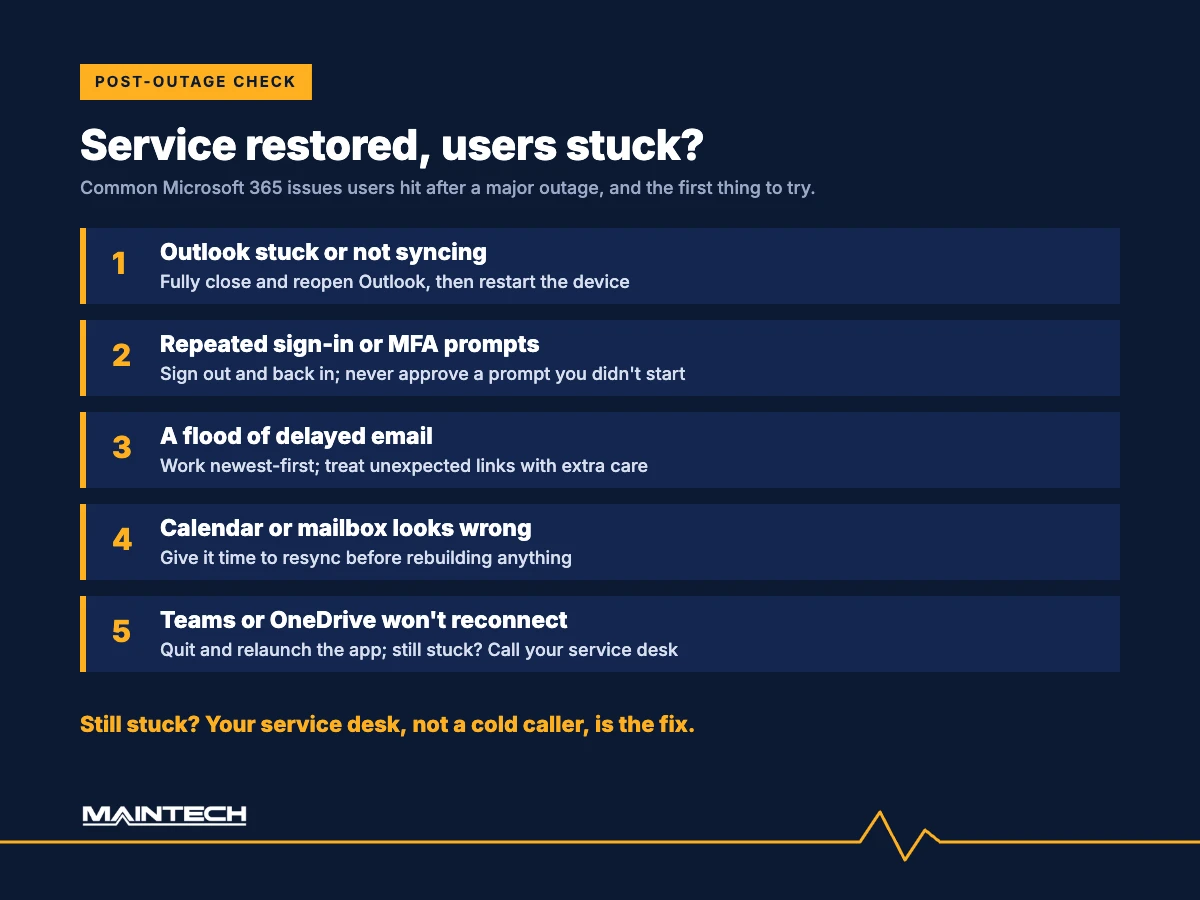
What the day after a Microsoft 365 outage looks like
In the days after a major outage, companies face:
- A wave of delayed email. Hours of messages arriving at once, some of them time-critical. Microsoft extended its email timeout window to 48 hours during the outage to protect delayed messages (ABC News), so much of that mail lands in a rush.
- Missed commitments. Meetings, deadlines and customer promises to recover and reschedule.
- Workarounds set up in a hurry that now need to be retired and secured, from personal email accounts to ad hoc messaging groups.
- Uncertain employees who aren’t sure which tools to use and what to trust.
- Opportunistic attackers hoping to slip phishing emails into the backlog while people are rushing to catch up.
None of this fixes itself when the service comes back. Left alone, it drags on for days and leaves new security gaps behind.
Your ramp-back-to-normal plan
Maintech Managed Services is helping clients move from emergency mode back to business as usual in five steps:
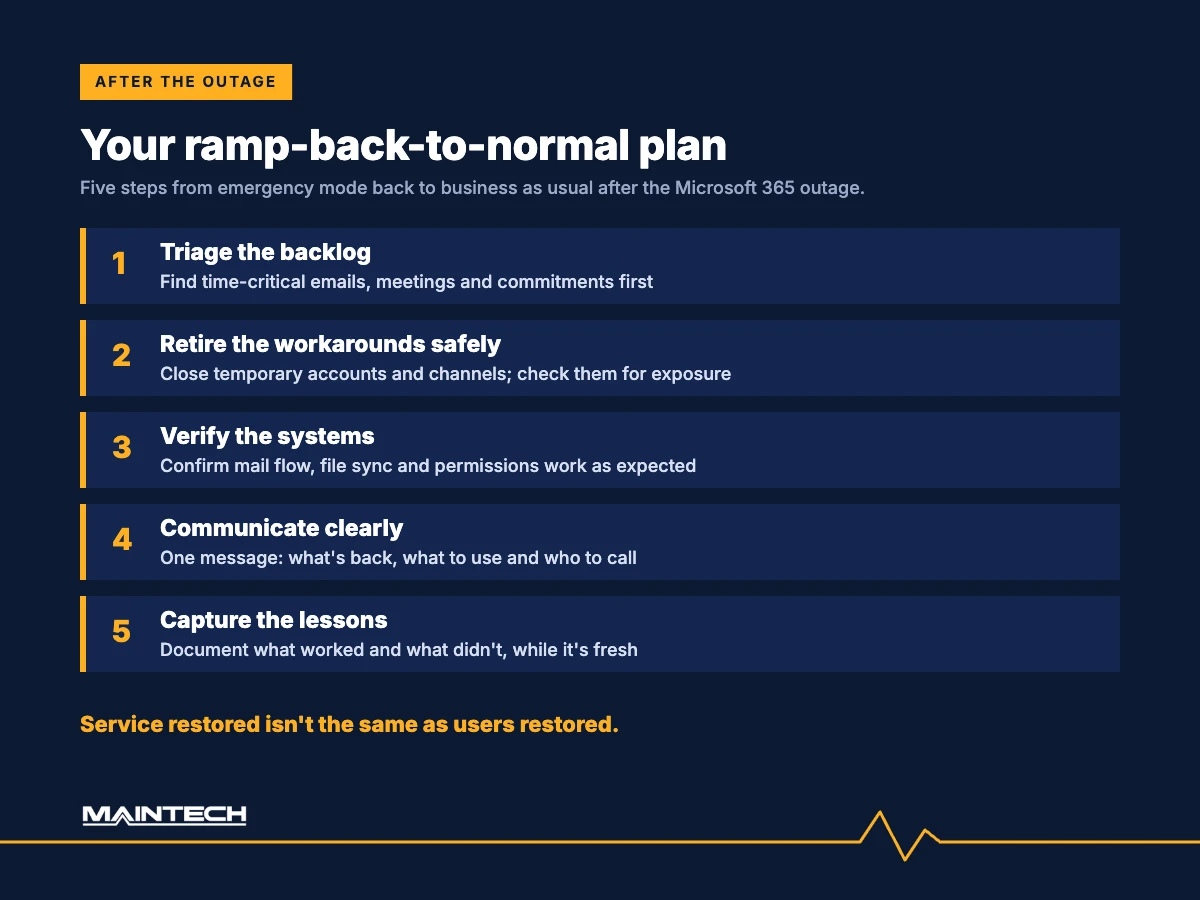
- Triage the backlog. Find the time-critical messages, meetings and commitments first. Work newest-first, and flag anything from customers, suppliers or regulators with a deadline attached.
- Retire the workarounds safely. Close temporary accounts, forwarding rules and channels set up in a hurry, and check them for security exposure.
- Verify the systems. Confirm mail flow, file sync and permissions are working as expected, and review security alerts from the outage window, when Microsoft Defender and Purview portals were degraded (AzureBlog incident tracker).
- Communicate clearly. Give employees one simple message on what’s back, what to use and who to call.
- Capture the lessons. Document what worked and what didn’t while it’s fresh, and update your business continuity plan once Microsoft publishes its post-incident review.
Self-service fixes for common post-outage issues
Maintech publishes self-service fixes for common post-outage issues, so users can solve them on their own without waiting in a queue, and our 24×7 service desk resolves anything that remains, whenever it comes up. A few steps that help most users:
- Outlook stuck or not syncing: fully close Outlook, reopen it and give it time to catch up. Restart the device if it still won’t sync.
- Repeated sign-in or MFA prompts: sign out of your Microsoft 365 apps and back in. Never approve an MFA prompt you didn’t start.
- Teams or OneDrive won’t reconnect: quit the app completely and relaunch it.
- Calendar or mailbox looks wrong: allow time to resync before rebuilding profiles or reinstalling anything.
- Still stuck: contact your service desk through a channel you already trust, never a number from an unexpected call or email.
We also keep customers informed through our incident portal and support line until every customer is fully back to normal operations.
Watch for scams in the backlog
Recovery is prime time for attackers. University of Queensland associate professor Micheal Axelsen warned of phishing as backlogged emails are processed (ABC News), and banks including ING have warned that scammers may contact people offering to resolve Microsoft issues (Insurance Business). Our guide to spotting Microsoft outage scams has five red flags to share with your team.
Protecting against the next outage
Outages happen, even to the best operators in the world. For businesses that run on time-sensitive information and communication, such as financial services, healthcare, logistics and legal, the question is not whether there will be a next time. It is how ready you will be.
This is the week to evaluate:
- Independent monitoring and alerting, so you know about a problem before your users do
- Backup communication channels, ready before you need them
- An outage playbook, with clear roles, steps and messages
- A support partner that can surge, with real people on the phone when call volume spikes
The same approach works beyond Microsoft 365
The Microsoft 365 outage is one example of a wider risk. Organizations also face outages in their own servers, networks and cloud environments, and the same disciplines limit the damage: monitoring, fast diagnosis, clear communication and coordinated recovery.
Alongside its 24×7 service desk and NOC, Maintech offers:
- Server Management: proactive monitoring, patching and maintenance that catch hardware, capacity and performance issues before they cause downtime.
- Network Management: around-the-clock monitoring of circuits, firewalls, switches and wireless infrastructure, with quick escalation and coordination with carriers and vendors.
- Cloud Management: oversight of Microsoft 365, Azure and other cloud platforms, including service health monitoring, configuration management and resilience planning.
Because the NOC can see all of these layers, Maintech can quickly tell whether a disruption comes from a provider, the network, a server or a single user. That means faster answers and fewer wasted hours.
Microsoft 365 outage recovery FAQs
Why is Outlook still not working after the Microsoft outage?
Microsoft restores services in stages, and it warned that some intermittent issues may continue during recovery. Local issues such as a stuck Outlook profile or cached sign-in can also linger after the service itself is back. Try fully closing and reopening Outlook, then signing out and back in, and contact your service desk if it still won’t connect.
Will I still receive emails sent during the outage?
Microsoft extended its email timeout window to 48 hours to protect delayed messages, so most mail sent during the outage should arrive as service recovers. Expect it to land in bursts, and treat unexpected links and attachments with extra care.
Do we need to change passwords after the Microsoft 365 outage?
Not because of the outage itself; Microsoft said there was no indication of malicious activity. But if anyone shared sign-in details with an unexpected caller, or approved an MFA prompt they didn’t start, reset that password now and tell your IT team.
What should an IT outage playbook include?
Clear roles, communication channels that don’t depend on the affected service, where service health alerts are sent, approved workarounds, the steps for recovery, and a post-incident review. The best playbooks are tested before they’re needed.
Talk to us this week
Start with a ramp-back-to-normal plan for the days ahead, and a no-obligation review of how protected you are for the next outage.
- Call: +1 (800) 426-8324 (Global) · +44 (0) 7799 747974 (Europe) · +65 6909 7351 (APAC)
- Email: contact@maintech.com
- Visit: maintech.com/contact-us
More from our Microsoft 365 outage series: Insure Your Data Center Against Your Next Dark Thursday and The Day of the Outage: A Surge of Calls, Answered.
Sources and further reading
- ABC News (Australia): Microsoft outage hits users worldwide
- Insurance Business: Banks warn of outage scams as Microsoft narrows in on fault
- AzureBlog: Microsoft 365 outage, 12 November 2026, incident tracker
Maintech has delivered IT infrastructure and managed services for data centers, cloud and end-user environments for more than 50 years, with W-2 employees in 60+ countries and an average client tenure of 12+ years.
