
24×7 support and broader IT services help businesses prepare, respond and recover.
Following last week’s Microsoft 365 outage, Maintech is encouraging organizations to prepare for future disruptions, whether they begin with a cloud provider, a network or their own infrastructure.
“Outages can affect many parts of an IT environment,” said a Maintech spokesperson. “A prepared partner helps you understand the issue, communicate with your people and get them back to work.”
This is the final piece in our Microsoft 365 outage series. We’ve covered what caused the Microsoft outage in Insure Your Data Center Against Your Next Dark Thursday, what the day looked like from our service desk in The Day of the Outage: A Surge of Calls, Answered, and how to get users back to normal in The Outage Is Over. The Disruption Isn’t.. Now it’s time to look ahead.
A week that tested every IT team
On Thursday, November 12, an Exchange Online incident cascaded across Microsoft 365. Outlook went down, Teams, SharePoint, OneDrive and Copilot were disrupted, and Downdetector logged more than 130,000 Outlook problem reports at the peak (AP). Government email in Singapore, Japan’s government IT infrastructure and the Supreme Court of the Philippines were among those affected, and the disruption ran into Friday as Microsoft worked through servers failing health checks and rolled back a recent network configuration change.
The outage wasn’t a cyberattack, and it wasn’t caused by a spike in traffic. It was an internal fault at one of the most sophisticated operators in the world. As UNSW cybercrime professor Richard Buckland put it, “Everyone needs a Plan B” (ABC News).
How Maintech’s NOC handled the Microsoft 365 outage
Provider outages may be beyond a customer’s control, but how you respond is not. Here’s what the response looked like inside Maintech’s 24×7 NOC and service desk:
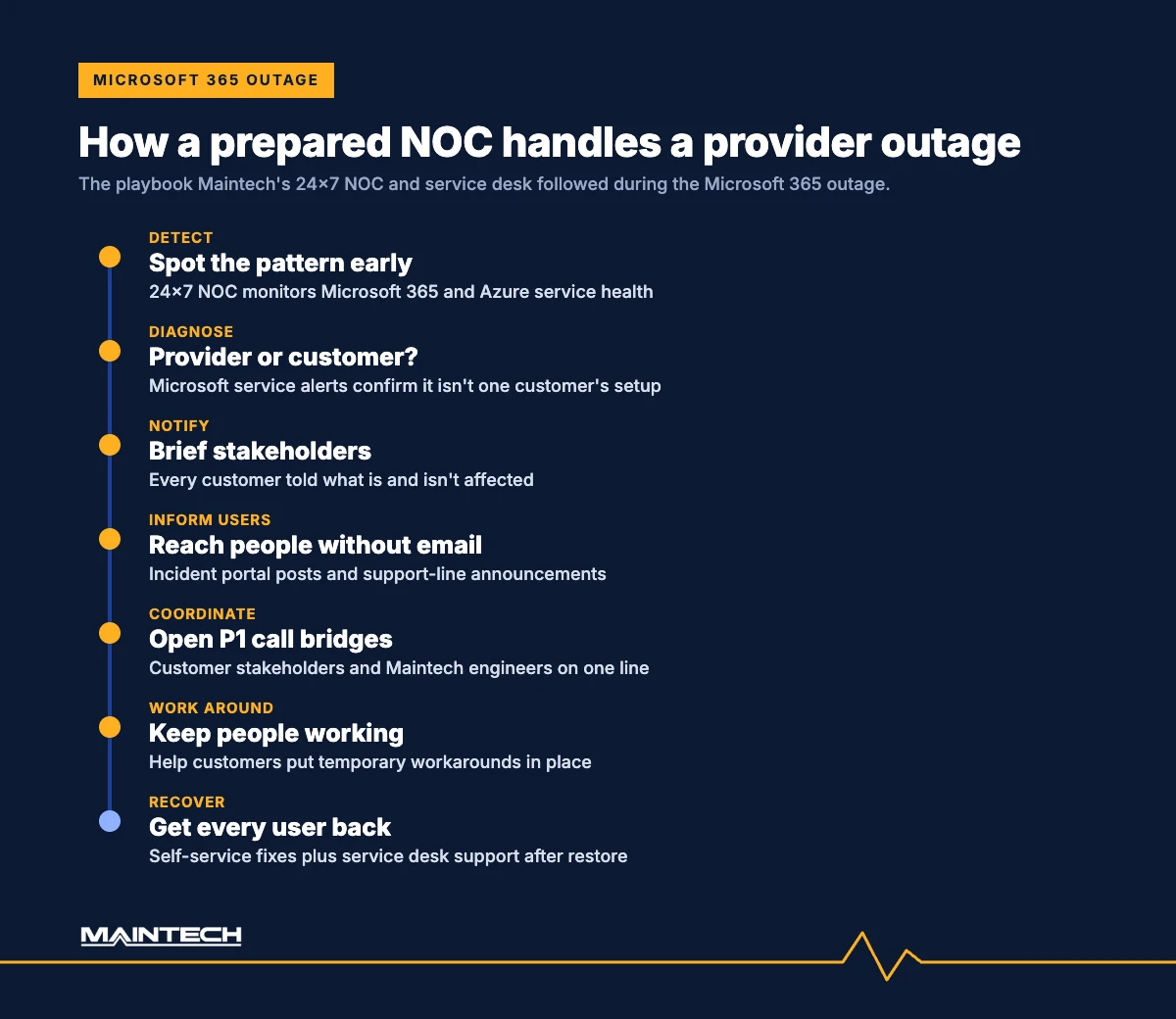
- Detect and diagnose. Maintech monitors Microsoft service health for both Microsoft 365 and Azure from our 24×7 NOC. When a handful of calls came in from different customers, followed by Microsoft’s service outage alerts, we knew right away that this wasn’t a problem with any one customer’s setup.
- Notify stakeholders. We notified key stakeholders across our entire customer base, so they knew this was a Microsoft service outage, exactly what was affected and what was not.
- Reach users without email. We posted announcements on our incident management portal and added automated notifications for anyone calling our support line, so users could check for updates at any time, even with Outlook down.
- Absorb the surge. Our service desk was fully briefed, so no time was wasted troubleshooting local issues; users were told what the problem was and what to do next. Even as call volume rose sharply, average call waits stayed under 90 seconds.
- Coordinate the response. Our NOC set up P1 call bridges for each customer that needed one, so customer stakeholders and Maintech technical teams could work the issue together, and we sent regular updates and ETAs as they became available.
- Keep people working. Where workarounds were available, we helped customers put them in place to return to normal service as quickly as possible.
- Recover every user. After the restore, self-service fixes and our service desk helped users through the issues that linger after a major outage.
Questions every IT leader should ask before the next outage
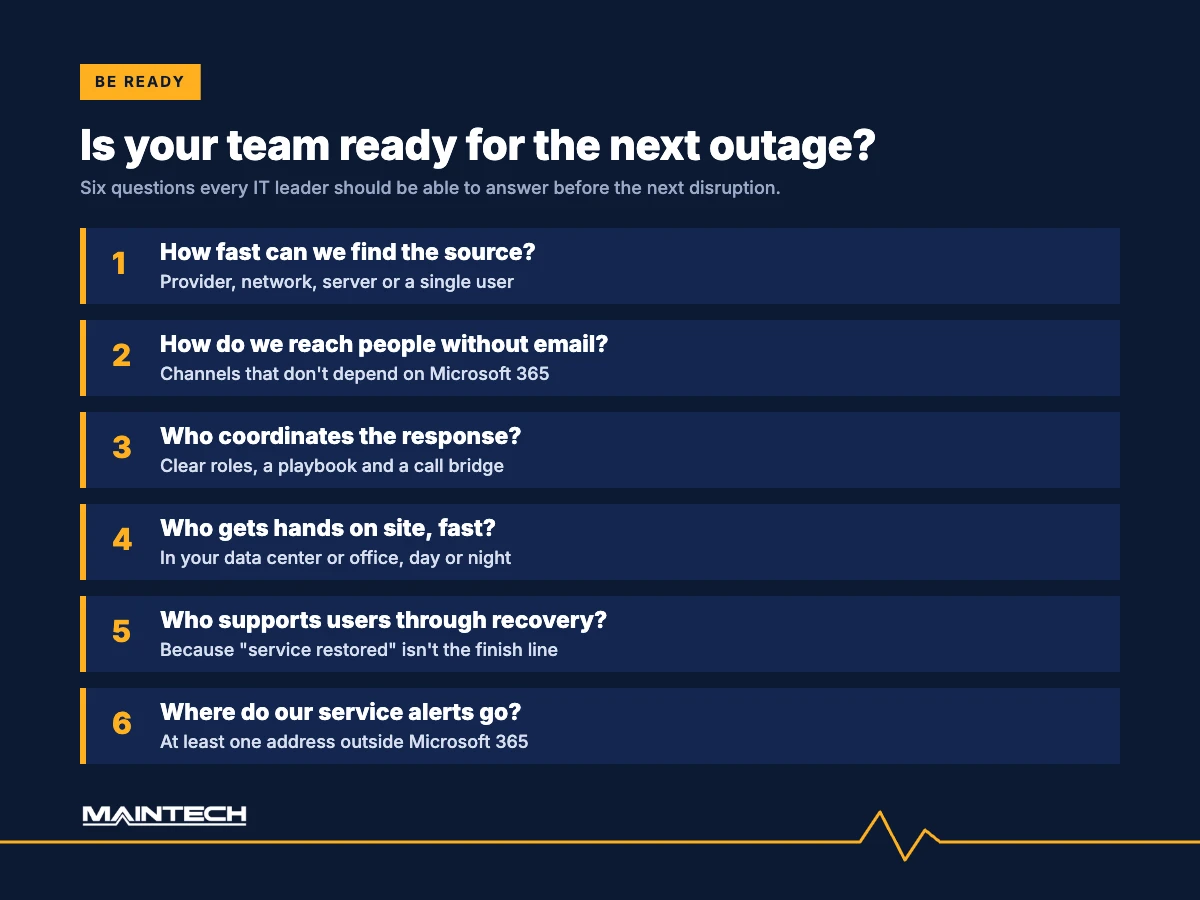
- How quickly can we identify the source of a disruption and reach users if email is unavailable?
- Who will coordinate the response and support users through recovery?
- If services require hands-on support in your data center or office locations, do you have resources you can get on site rapidly?
- Do we have communication channels that don’t depend on Microsoft 365?
- Where do our service health alerts go? If they only reach Microsoft 365 inboxes, the next outage will hide its own warnings.
- Do we have a written outage playbook, and when did we last test it?
Building your outage readiness plan
The Microsoft 365 outage showed how far one failure can spread. When Exchange Online struggled, Teams scheduling, SharePoint features, Copilot, Microsoft Defender and Microsoft Purview were affected too (AzureBlog incident tracker). A practical outage readiness plan starts there:
- Map your dependencies. Know which business processes, apps and security tools rely on each cloud service, so you know what breaks when one goes down.
- Set up out-of-band communication. SMS, phone trees or a status page that doesn’t sit on the platform that’s failing.
- Route alerts outside the blast radius. Send service health notifications to at least one address and person outside Microsoft 365.
- Write and rehearse the playbook. Roles, decision points, approved workarounds and user messages, tested with a tabletop exercise.
- Plan the recovery, not just the response. Backlogs, workarounds to retire and users to support once service returns.
- Line up the people. A partner with surge capacity on the phones and engineers who can be on site when hands are needed.
Maintech’s services
Drawing on more than 50 years of IT services experience and in-country support worldwide, Maintech helps organizations manage data center, cloud and end-user environments:
- Data center: server management, hardware break-fix, smart hands, rack-and-stack, hyperscale and AI-ready server support and flexible IT staff augmentation.
- Cloud: Microsoft 365 and Azure management, migration and integration, with monitoring and ongoing operational support.
- End-user IT: 24×7 service desk, field support and device management.
- Cybersecurity: security operations center (SOC), threat detection and incident response.
- Infrastructure operations: 24×7 NOC monitoring and network management.
- Incident response and recovery: stakeholder updates, P1 call bridges, workarounds and post-outage user support.
Outage preparedness FAQs
How can we keep communicating if Microsoft 365 goes down?
Agree in advance on at least one channel that doesn’t depend on Microsoft 365, such as SMS, a phone tree or a status page hosted elsewhere, and make sure everyone knows where to look before they need it.
How do we know if an outage is Microsoft’s problem or ours?
Watch Microsoft 365 service health alongside your own monitoring. A NOC that sees both can tell quickly whether a disruption comes from the provider, the network, a server or a single user, which saves hours of troubleshooting the wrong thing.
What does a NOC do during a cloud outage?
It confirms the source, alerts stakeholders, coordinates the response, tracks the provider’s updates and helps put workarounds in place, then supports recovery once services return.
What is a P1 call bridge?
A dedicated conference line opened for a priority-one incident, so the business stakeholders and technical teams working the issue can share information and make decisions in real time.
Get started
To discuss support for your organization’s IT environment, and a no-obligation review of how ready you are for the next outage, talk to Maintech today.
- Call: +1 (800) 426-8324 (Global) · +44 (0) 7799 747974 (Europe) · +65 6909 7351 (APAC)
- Email: contact@maintech.com
- Visit: maintech.com/contact-us
Read the full Microsoft 365 outage series:
- Insure Your Data Center Against Your Next Dark Thursday
- The Day of the Outage: A Surge of Calls, Answered
- The Outage Is Over. The Disruption Isn’t.
Sources and further reading
- Associated Press (via WSLS): Microsoft outage hits companies and governments worldwide as it struggles to restore services
- ABC News (Australia): Microsoft outage hits users worldwide
- AzureBlog: Microsoft 365 outage, 12 November 2026, incident tracker
Maintech provides data center, cloud and end-user IT services to midmarket and enterprise organizations globally, with more than 50 years of experience and operations in 60+ countries.
